
Signing in to Slack
We recently upgraded our Slack workspace to an Enterprise plan. This improves security and resilience, but it also changes how some users sign in; in particular, external collaborators who do not use our Single Sign-On system.
If you are having difficulty accessing Slack, please follow the guidance below.
Internal Users
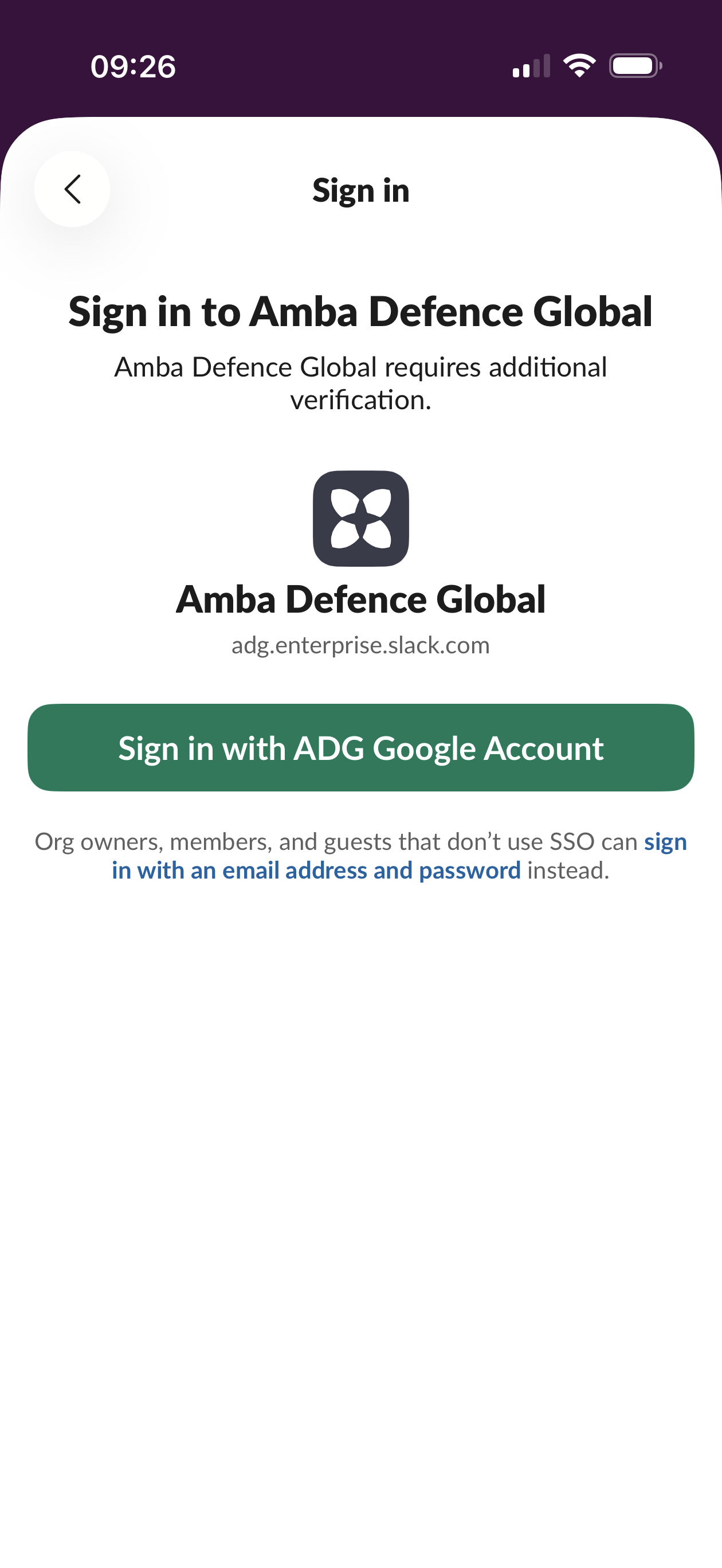
If you have an Amba Defence Global company email address and normally sign in using Single Sign-On, nothing has changed.
Go to our Slack workspace as usual
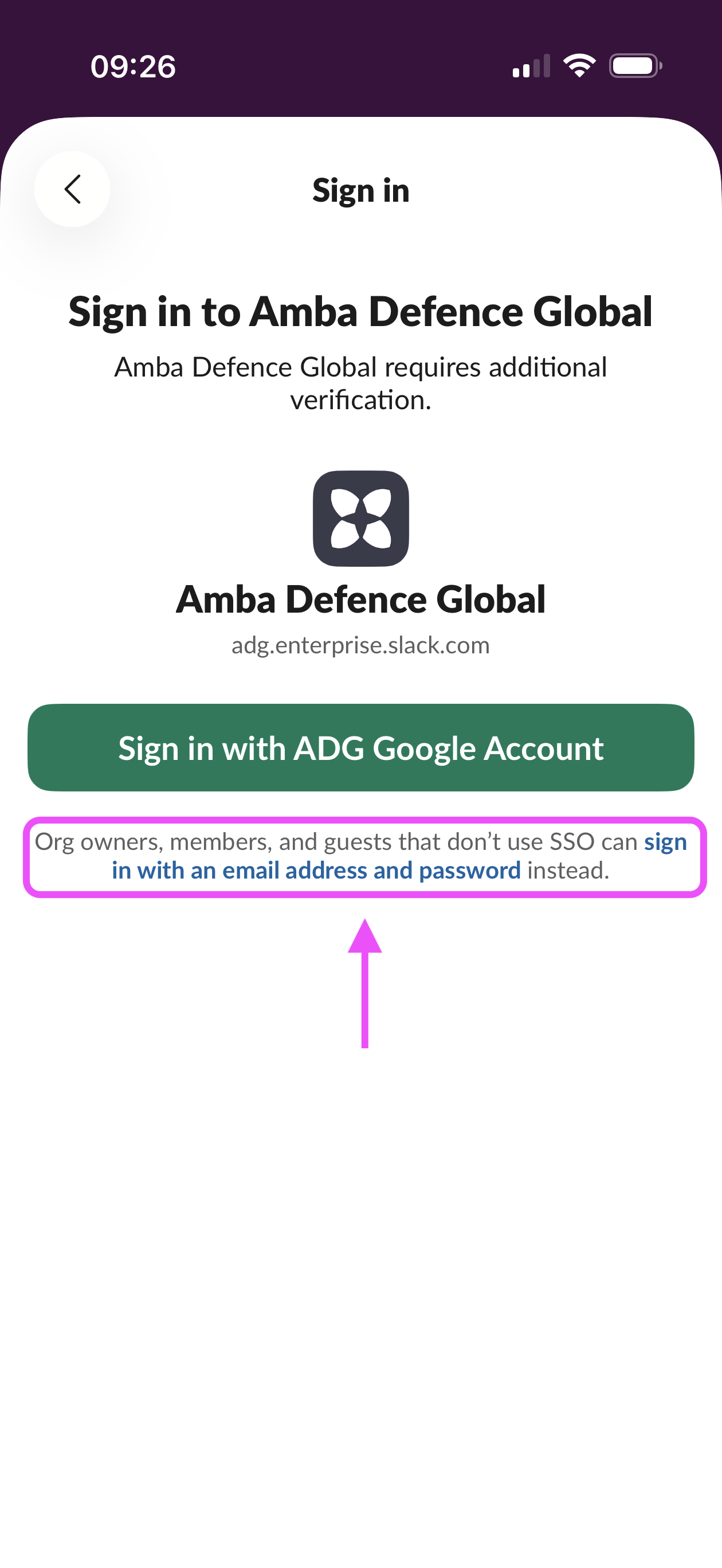
Select Sign in with ADG Google Account
Complete the normal authentication steps
If you are prompted to sign in using an email address and password, return to the sign-in page and choose the SSO option instead.
External users and collaborators
If you do not have access to our Single Sign-On system, you must sign in using the email address that was invited to Slack.
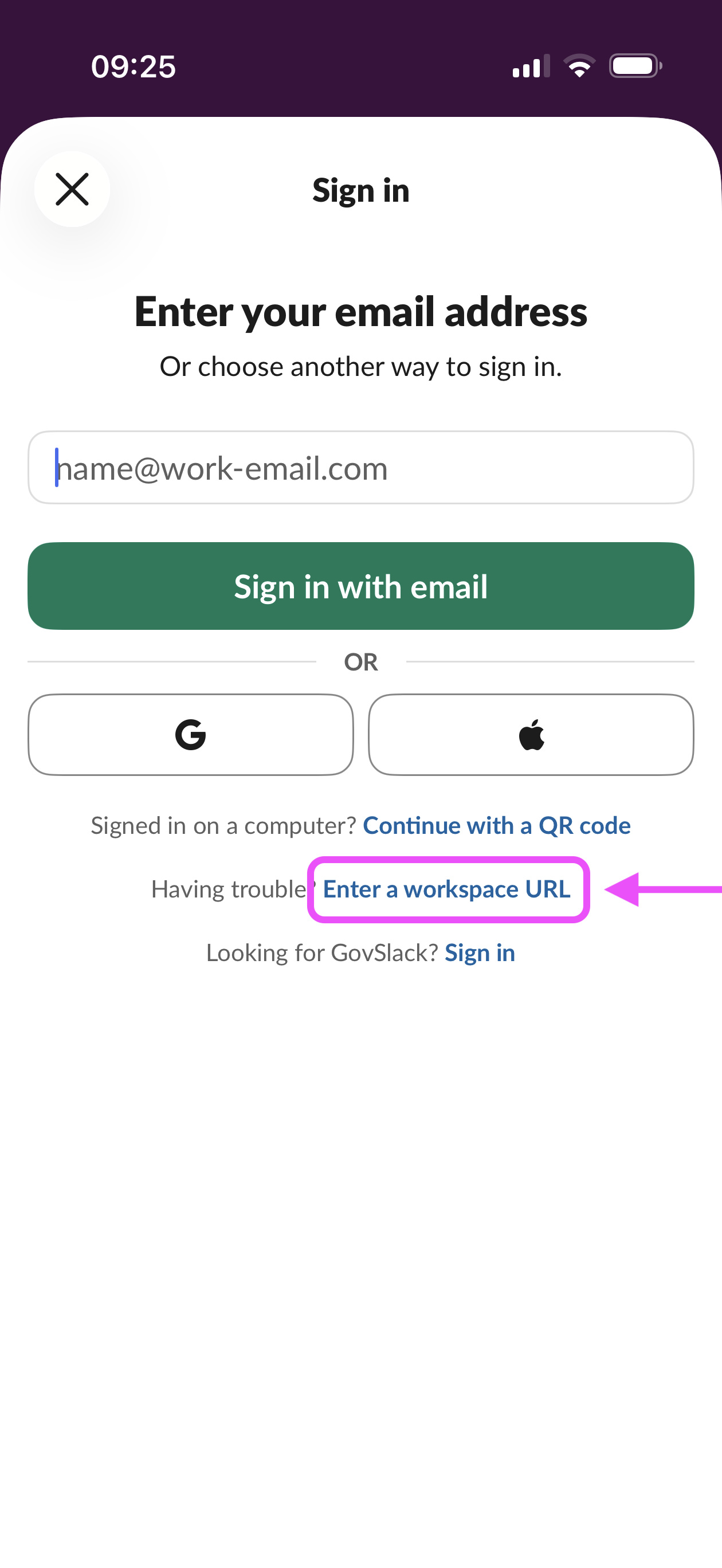
Go to the Slack sign-in page
Click Enter a workspace URL
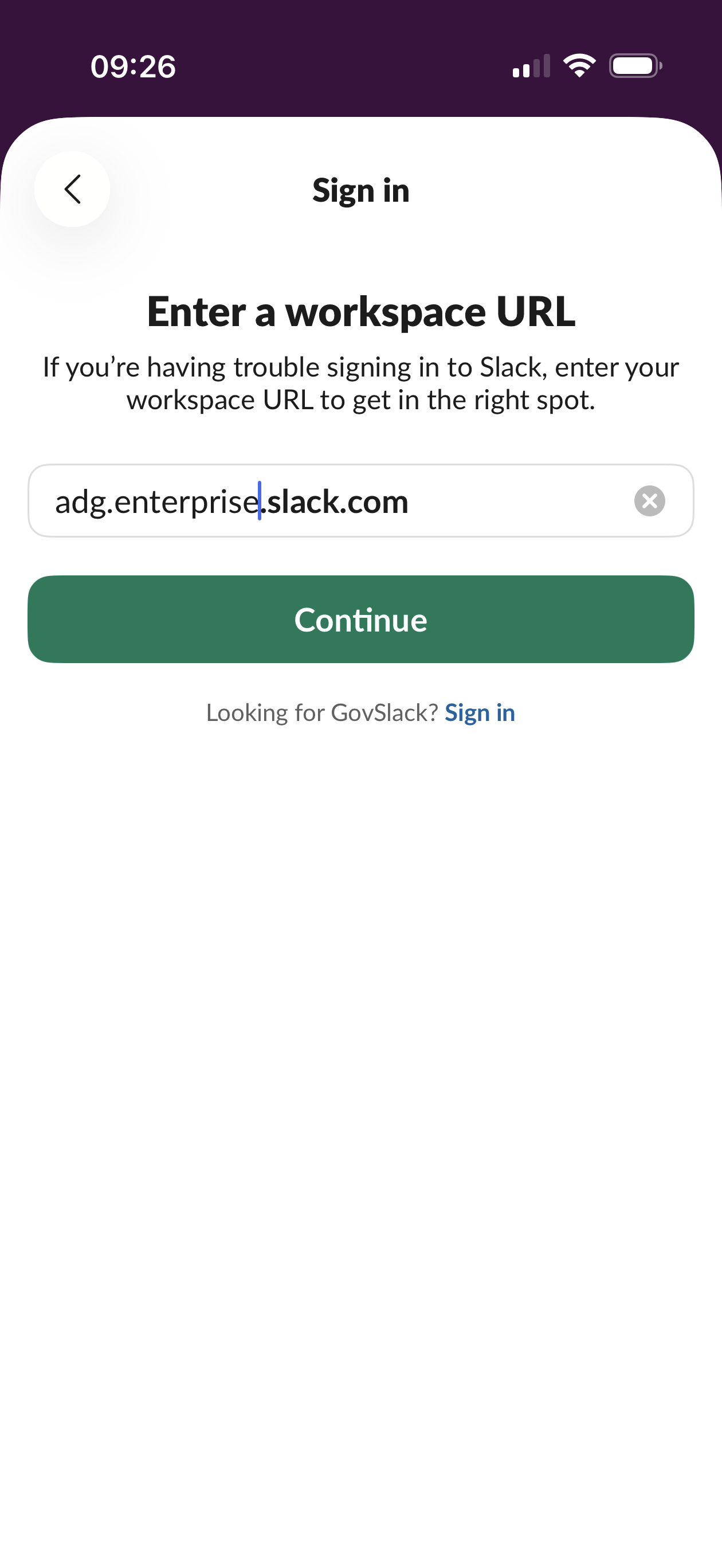
Enter adg.enterprise.slack.com into the box and click continue
Click the link that says sign in with an email address and password
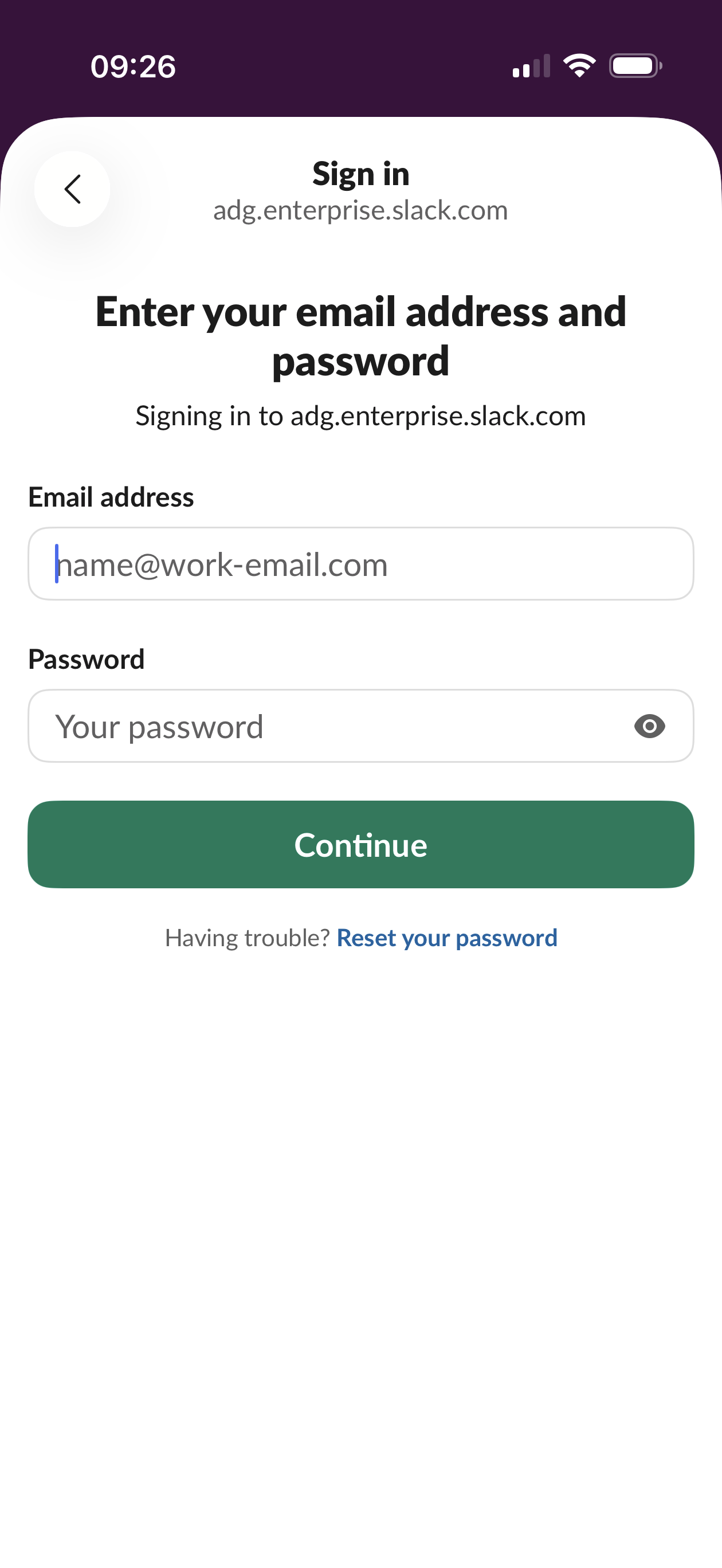
Login using the credentials you created when you first signed into Slack.
If you don’t remember your password you can reset it from this screen.